v1.0 — Early access live
A liquid workspace that thinks.
Noises UI is a complete personal OS in your browser. Pearl canvas, editorial pink, frosted glass, an evolving pet, and an AI that lives in the chrome.
Noises UI is a complete personal OS in your browser. Pearl canvas, editorial pink, frosted glass, an evolving pet, and an AI that lives in the chrome.
Tired of juggling two apps to think and talk? Noises UI unifies them into a single, beautiful surface — with AI built in, not bolted on.
Notes and chat. And AI. And pets. And tasks.
One workspace. One surface. One tab.
Floating glass windows with drag, snap, resize, minimize, and full immersive mode. Performance-tuned to keep 60fps even with five apps open.
Try the windows →
Desktop pets that read your goals, react to your music, sleep when you sleep. Hatch as an egg, evolve through six stages, unlock skins.
Meet the family →From editorial pink to deep midnight. Every pixel — orbs, borders, glows, the Dynamic Island — cascades through your chosen accent. No reload.
Explore themes →A giant serif clock at the center of your desktop. Nine typefaces. Live weather, goal timer, music track. The heart of the OS — and your day.
See it run →Share a workspace with a link. Real-time cursors, conflict-free notes, voice channels on the way. The OS becomes the team room.
How it works →Three steps to your new workspace. No sign-up, no config files, no PhD required.
Launch in your browser or download the Electron build. It loads in under a second — no login wall, no splash screen.
Pick a theme, arrange your windows, drag your pet. The OS adapts to how you think — not the other way around.
Write notes, set goals, chat with AI, watch your cloudling grow. Everything saves locally. Everything just works.
Early screenshots, concept art, and behind-the-scenes looks at Noises UI.
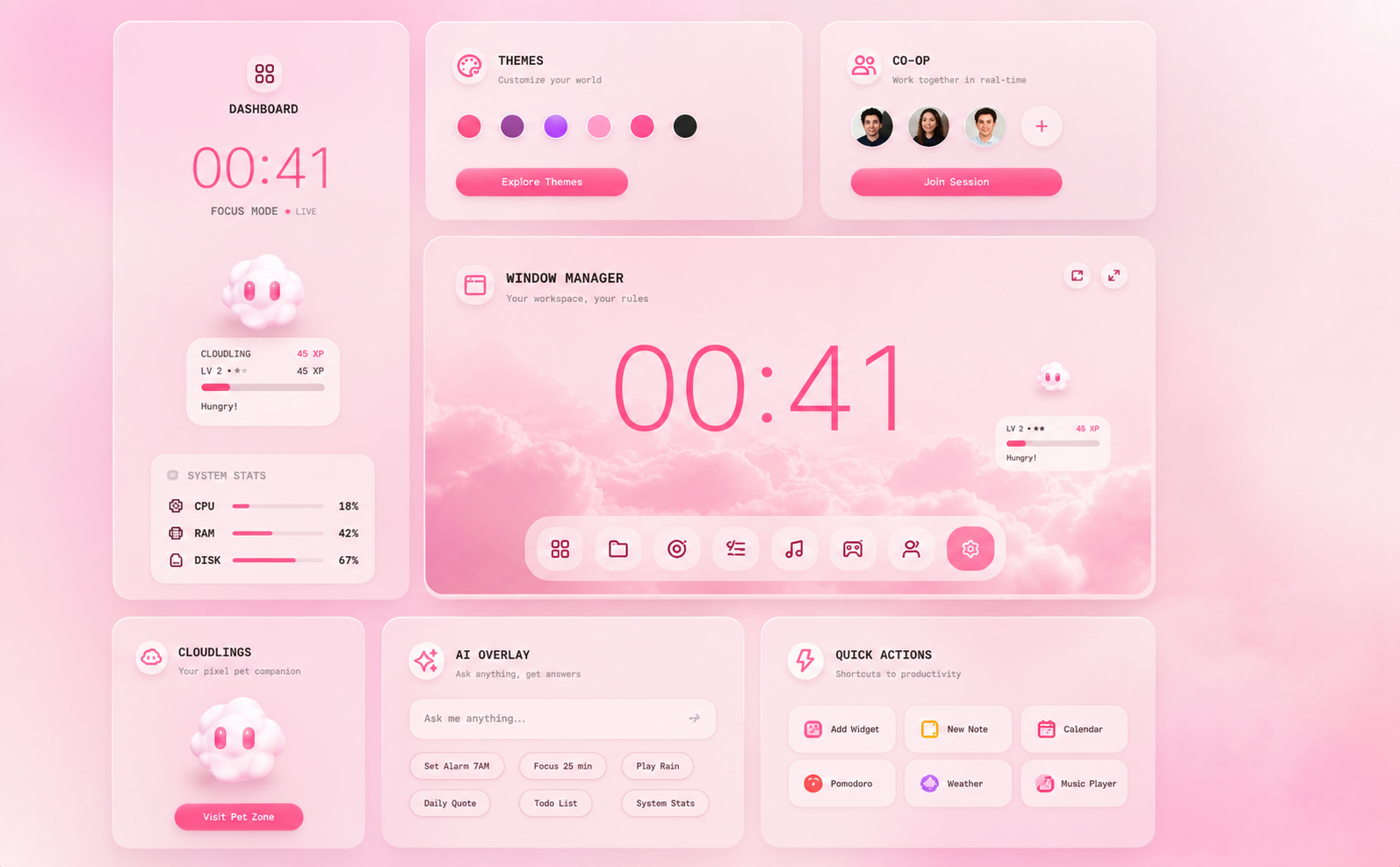
More screenshots dropping soon. This is just the beginning.
Six evolution stages. Five skins. One companion that grows with your work. Free with the OS.

Born curious. Reads everything you write.
Earns XP. Starts having preferences.

Unlocks at L8. Takes notes on your todos.

Manages five tasks. Calms when you do.

Lives in your projects. Has opinions.

Waves to your music. Becomes the DJ.
Open the web app, drop the Electron build, or just stare at the homepage. No credit card, no signup, no nonsense.